§USE CASE / REAL ESTATE
QR on the property sign: the listing in the buyer's phone
The buyer walks past, scans the QR and sees the photos, price, floor area and your phone number. No app to download. If the price changes, update the listing without reprinting the sign.
Does your property sign work 24 hours on its own?
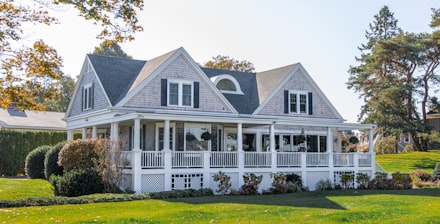
Flat in Eixample
285.000€
🛏
3 beds
🚿
2 baths
📐
85 m²
Bright flat in Eixample. High ceilings, parquet floors and renovated kitchen. Very close to the metro.
Listing agent

Ana López
Agent · 612 345 678
What happens when the buyer sees the sign outside office hours?
The buyer walks past at 9 pm, they are interested but cannot call and have no phone number to note down. By the next day they have forgotten.
A for-sale sign with only a price and a phone number lets buyers slip away. Many pass by outside office hours when the agency is closed. Others will not call without knowing more. A QR on the sign fixes this: whoever passes scans it and sees the full listing instantly, with photos, floor area, rooms and a direct contact button.
The problem worsens when information changes after the sign is printed. You drop the price, upload new photos or the property sells. The balcony sign still shows the old price or, worse, still advertises a property that is no longer available. A dynamic property listing, a digital sign or an updatable property page solves this without reprinting anything.
How does a QR property listing work?
The sign QR opens a page with photos, price, floor area and agent contact. It is updated from the dashboard without changing the physical sign.
On codigo-qr.es you create the listing from the dashboard: photos, price, number of rooms, floor area, description and agent contact. The system generates a URL (codigo-qr.es/l/flat-eixample) and a dynamic QR. You print the QR on the balcony sign or in the window. When the price drops, new photos go up or the property sells, you update the listing in seconds. The sign does not change.
When the price drops, you edit the listing from the dashboard in 30 seconds. The balcony sign does not change, but whoever scans it from that moment sees the updated price. If the property sells, you update the listing to reflect this or deactivate it directly. Each agent can have their own listing per property. With the Pro plan you can manage up to 20 active listings simultaneously from the same dashboard.
§HOW IT WORKS
How to create a QR property listing?
Create the listing in the dashboard, generate the dynamic QR, print it on the sign. When the price changes or the property sells, update the listing from your phone.
01
Create an account on codigo-qr.es and access the Pro plan (5.99€/month).
02
Choose the Property listing template in the landings dashboard.
03
Upload photos, fill in price, floor area, rooms, description and contact.
04
The system generates the URL and the dynamic QR. Download in PNG or SVG.
05
Print the QR on the balcony sign, window display or leaflet. When anything changes, update the listing from the dashboard.
§BENEFITS
Why use a QR with a digital listing instead of just a phone number?
Always up-to-date listing, high-resolution photos, scan analytics by location and device, direct contact with the agent.
- The buyer sees photos and price before calling: they arrive better informed
- Available 24 hours: works when the agency is closed
- If the price drops or the property sells, update without reprinting the sign
- Analytics: know how many scans each property gets and from which area
- Direct contact: call or WhatsApp button in the listing
§FAQ
How does a QR property listing work?
The QR on a property listing opens a page with photos, price, floor area and agent contact. It is updated from the dashboard: when the price changes, the sign does not need reprinting.
The property listing template is included in the Pro plan at 5.99€/month or 49€/year. You can create up to 20 active listings at the same time.
Yes. The dynamic QR points to an editable link. You change the price from the dashboard and the change is reflected instantly on all printed QRs.
You can update the listing to show it is sold, redirect it to another property or deactivate it from the dashboard. The physical sign does not change.
You can upload a gallery of images. Photos are automatically optimised when uploaded so the page loads quickly on mobile.
Yes. The Pro plan allows up to 20 active landings simultaneously. You can have one listing per property in your portfolio.
No. The listing opens directly in the phone browser when the QR is scanned. No download required.